Echo Dominion
A downloadable game for Windows
Echo Dominion
Your past choices become your next opponent.
Every turn is a decision. Every decision leaves an echo.
Echo Dominion is a turn-based fantasy strategy game where your past choices shape the opposition you face next. Victory means adapting, questioning your habits, and finding a new answer when your old approach is no longer enough.
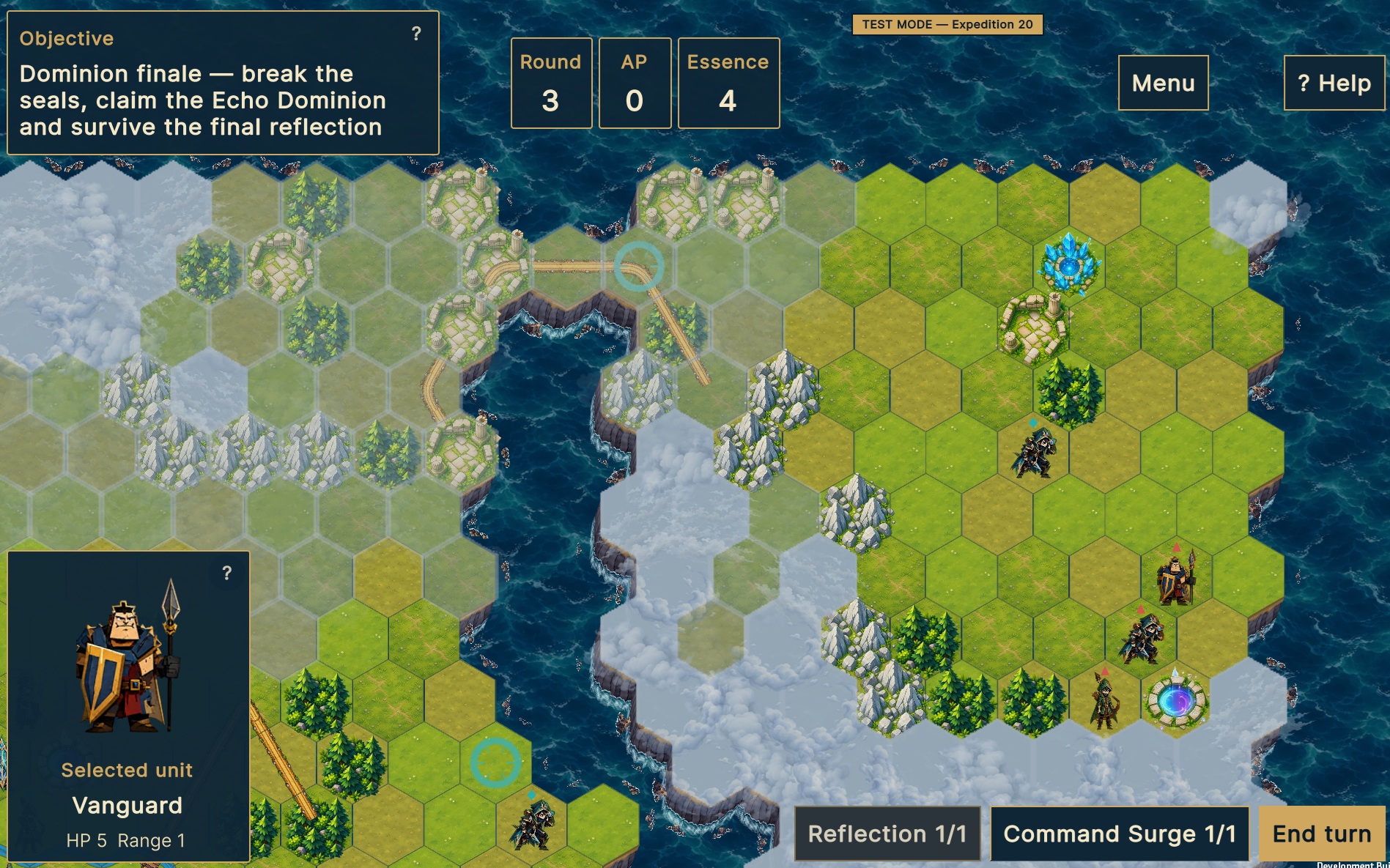
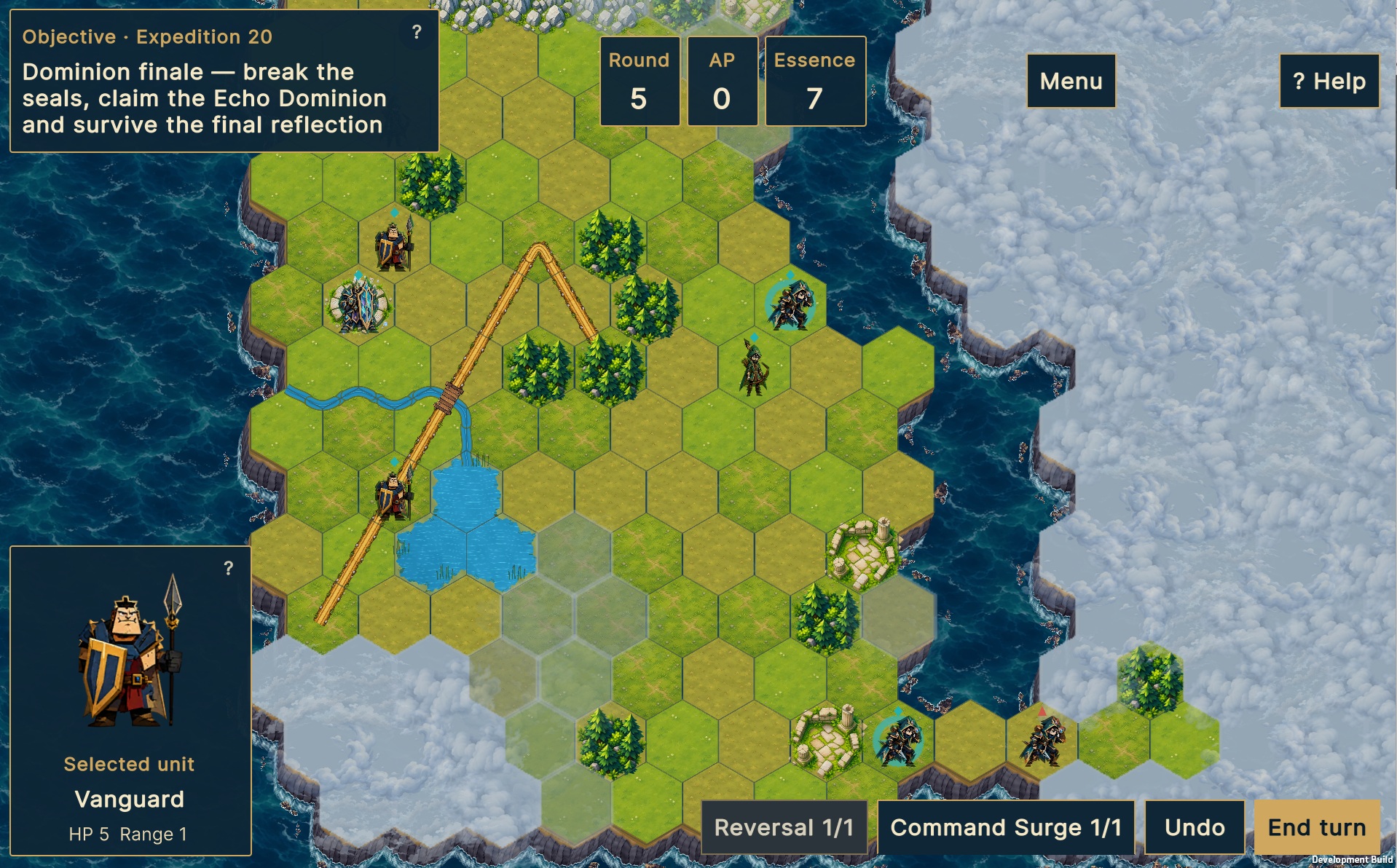
Command your squad across hex-based battlefields. Use terrain, positioning, and each unit’s strengths to turn a dangerous situation into a decisive advantage. Fight through 20 expeditions and discover whether your tactics can stand up to the echoes you leave behind.
Can you outthink your own past?
Play the free Windows playtest, available in English and Polish. Start with the tutorial, find your own way to win, and help shape the next chapter of Echo Dominion.
EARLY DEVELOPMENT PLAYTEST
Echo Dominion is currently in active development.
This build is intended for playtesting rather than review. Systems, balance, UI, content, and progression may change significantly.
Joining the playtest
- Download and launch the Windows build.
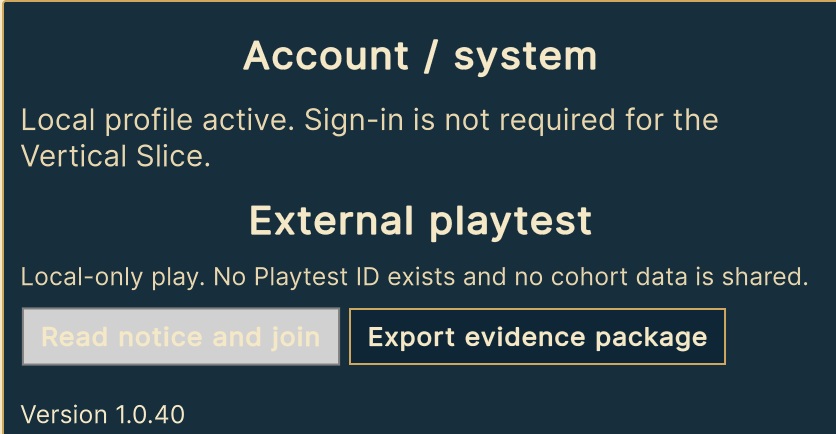
- Open Settings → External Playtest.
- Select Join the playtest.
- Confirm that you are 18 or older and accept the consent notice.
Registration is automatic—no account or invitation code is required.
After joining, the game will display your unique Playtest ID. Please keep it, as you will need to enter it in the feedback form. The game sends pseudonymous gameplay and technical data to help identify balance, progression, and usability issues. You can withdraw from the playtest at any time through Settings.
What we’re testing right now
For this build, I’m especially interested in:
- how easy it is to understand the game without external instructions,
- whether the introductory expeditions teach the core mechanics effectively,
- whether each turn presents meaningful tactical choices,
- whether units have clear and distinct roles,
- difficulty and pacing,
- frustrating, confusing, or repetitive moments,
- and whether finishing one expedition makes you want to start another.
Please play before reading too much
One of the things I’m testing is whether the game can explain itself.
If something is unclear, don’t assume you missed an instruction. That confusion itself is valuable feedback.
Please try to play the expeditions normally first. Your natural experience is more useful than trying to find the “correct” way to play.
Optional test mode
Press Ctrl+Shift+F10 to open the developer test mode. It allows you to select expeditions quickly if you need to return to a specific part of the game.
External playtest registration is unavailable while developer test mode is active. Join the playtest using the normal profile before activating it.
After playing
Please complete the feedback form at the requested checkpoints—after Expeditions 3, 10, and 20:
Enter your Playtest ID, build number, and checkpoint when prompted. The final section after Expedition 20 takes approximately 5–10 minutes.
If you’re comfortable doing so, a screen recording or think-aloud playthrough is extremely useful, but completely optional.
The most useful feedback is honest feedback
You don’t need to suggest solutions.
Comments such as:
“I didn’t understand why this happened.”
“I stopped thinking here and just repeated the same action.”
“I never used this unit.”
“This expedition felt too long.”
“I expected this button to do something else.”
are extremely valuable.
Finding problems is more useful at this stage than being polite.
Thank you for helping shape Echo Dominion.
Download
Install instructions
Echo Dominion – Windows Playtest Instructions
Build: echo-dominion-build-096-v1.0.40
Platform: Windows 64-bit
Status: Development playtest build
Thank you for testing Echo Dominion! This build contains the complete playable expedition path from Tutorial 0 through Expedition 20.
Installation
- Download the complete ZIP file.
- Extract it into a new folder.
- Do not move the
.exeaway from its accompanying folders and files. - Launch:
echo-dominion-build-096-v1.0.40.exe - If Windows SmartScreen appears, proceed only if you downloaded the build from the official Echo Dominion playtest page.
Please do not overwrite an older build folder. Extract each version into its own directory.
Joining the external playtest
Joining the playtest does not require an account or invitation code.
- Launch the game using the normal profile.
- Open Settings → External Playtest.
- Select Join the playtest.
- Confirm that you are 18 or older and accept the consent notice.
- Wait for the game to confirm your registration.
After joining, the game will display your unique Playtest ID. Please keep it—you will need to enter it in the feedback form.
The game sends pseudonymous gameplay and technical data to help identify balance, progression, and usability issues. You can withdraw from the playtest at any time through Settings.
Registration is available only in supported playtest builds and may close when all available testing places have been filled.
Normal play
For the most representative experience, begin with Tutorial 0 and play the expeditions sequentially.
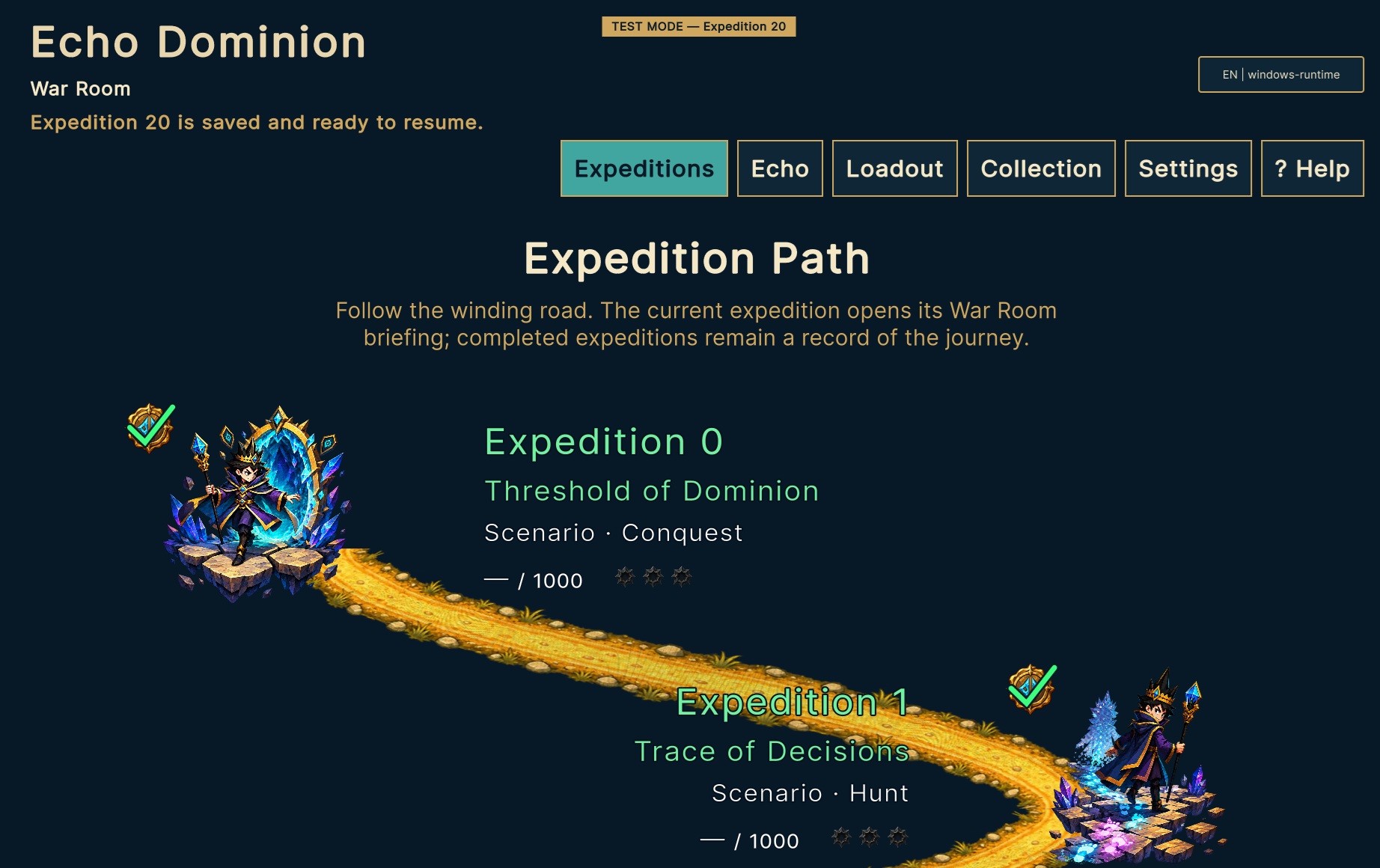
The Expeditions screen shows your route, completed expeditions, current expedition, Rating, and earned Mastery Seals. Before entering an expedition, you can review its briefing, objective, squad, and current loadout in the War Room.
Use ? Help whenever you need information about controls, units, terrain, objectives, Echo mechanics, equipment, or saving.
Basic controls
- Click a friendly unit to display its available actions.
- Green hexes are legal movement destinations.
- Red targets are legal attacks.
- Select a destination or target, review the preview, and then choose Confirm or Cancel.
- Hold the mouse button on a visible unit to inspect its statistics and effects.
- Drag with the left mouse button to pan the map.
- Use the mouse wheel to zoom.
- Use End Turn when you have finished acting.
- The battle menu allows you to return to the War Room, resume later, or abandon the expedition.
- Progress is saved automatically after accepted actions.
Test Mode
This development build includes an isolated Test Mode that allows you to open Tutorial 0 or any Expedition from 1 through 20 without completing all earlier content.
Please join the external playtest using your normal profile before activating Test Mode. External playtest registration is unavailable while Test Mode is active.
To open Test Mode:
- Go to the War Room.
- Press Ctrl+Shift+F10.
- Select Tutorial 0 or an Expedition.
- For expeditions, keep the suggested deterministic seed or enter another whole number greater than zero.
- Select Open briefing.
- Review or change the available squad and loadout.
- Select Enter Dominion to begin.
A visible TEST MODE — Expedition X banner confirms that the isolated tester profile is active.
Test Mode prepares the required progression, units, equipment, and Echo state automatically. It does not modify your normal profile.
To leave Test Mode, press Ctrl+Shift+F10 again and select Return to normal profile.
Please note that jumping directly to an expedition tests that expedition’s content, but it does not test normal progression between expeditions. Complete sequential playthroughs are especially valuable.
Feedback checkpoints
Please complete the feedback form after reaching the following checkpoints:
- Expedition 3
- Expedition 10
- Expedition 20
Enter your Playtest ID, build number, and checkpoint when prompted. The full final survey is shown after Expedition 20.
Priority checks for this build
Please pay particular attention to:
- whether joining the external playtest works without an account or invitation code,
- whether your Playtest ID remains available after restarting the game,
- normal progression and expedition unlocking,
- whether Rating and Mastery Seals are preserved correctly,
- whether completed expeditions appear correctly in the Chronicle,
- whether all English screens consistently use Expedition, Expeditions, War Room, and Abandon expedition,
- Return to War Room, Resume expedition, Retry, Continue, and Abandon expedition,
- incorrect colors, overlapping artwork, unreadable text, or locked expeditions that should be available,
- unexpected changes to progression, Rating, Mastery Seals, loadouts, or the current expedition,
- crashes, freezes, unusually long pauses, or failed transitions between screens.
Reporting an issue
Please include:
- Build:
echo-dominion-build-096-v1.0.40 - Your Playtest ID
- Normal Play or Test Mode
- Expedition number
- Deterministic seed, if Test Mode was used
- Language: English or Polish
- What you expected to happen
- What actually happened
- The exact steps needed to reproduce the problem
- A screenshot or short recording, if possible
For crashes, freezes, or progression errors, please also attach:
%USERPROFILE%\AppData\LocalLow\DefaultCompany\Echo Dominion\Player.log
Please avoid including personal information in reports.
Thank you for helping shape Echo Dominion!
Development log
- Echo Dominion 1.0.4013 days ago
- Echo Dominion 1.0.3927 days ago
- Echo Dominion 1.0.3829 days ago
- Echo Dominion 1.0.3733 days ago
Comments
Log in with itch.io to leave a comment.